The gap between receiving a client brief and having a polished first draft used to cost me most of a working day. Read the brief, make notes, research gaps, outline the structure, write the draft, review it. For a standard deliverable — a proposal, a report section, a content piece — that cycle ran four to six hours.
I now do it in under 30 minutes using three tools chained together. The quality of the first draft is higher than what I used to produce in half a day, because each tool handles the part it’s genuinely good at.
The three tools: Notion for capturing and structuring the brief, Perplexity for filling research gaps, and Claude for writing the draft.
Why Three Tools Instead of One
The temptation is to paste the brief into ChatGPT or Claude and ask for a draft immediately. Sometimes that works. More often, the output is generic — it hasn’t filled the research gaps, it doesn’t reflect the client’s specific context, and it needs so much editing that you’d have been faster starting from scratch.
The three-tool approach separates the workflow into distinct phases: organise, research, write. Each phase feeds the next. The draft Claude produces at the end is based on structured information and real research — not just the original brief and the model’s training data.
Tool 1: Notion — Organise the Brief
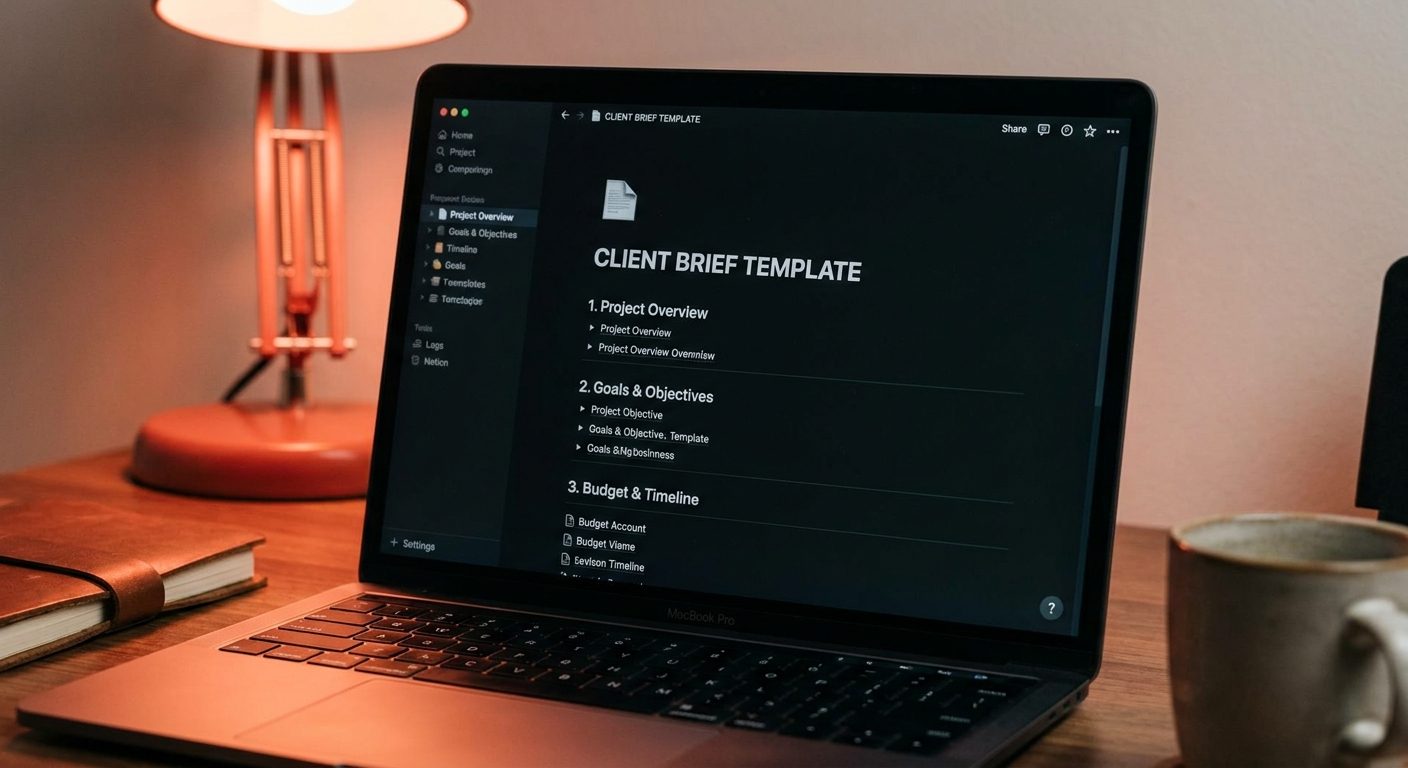
Before touching any AI, spend five minutes turning the client brief into a structured Notion page. The structure I use:
## Client brief: [Project name]

**Deliverable:** [What exactly needs to be produced]
**Audience:** [Who will read/use this]
**Tone:** [Formal/conversational/technical]
**Key message:** [The one thing the audience should take away]
**Word count / length:** [Target]
**Deadline:** [Date]

### What the client provided
[paste raw brief here]

### What I know already
[your existing knowledge about this topic/client]

### What I need to research
[gaps — things you don't know that the brief requires]

### Research findings
[this gets filled in step 2]
The “what I need to research” section is the critical step. Read the brief and ask: what questions would I need answered to write this well? List them explicitly. This becomes your research brief for Perplexity.
Tool 2: Perplexity — Fill the Research Gaps
Take your list of research questions to Perplexity. Unlike asking a general AI model, Perplexity searches the web in real time and cites its sources — so you can verify anything it returns before including it in your draft.
For each research question, ask Perplexity directly and specifically. Don’t ask broad questions. Ask the narrow version:
- Instead of “tell me about the renewable energy market” → “What was the global solar installation capacity in 2024 and which regions grew fastest?”
- Instead of “what do customers want from SaaS tools” → “What are the most common reasons SaaS customers churn in the first 90 days?”
- Instead of “background on this company” → “What has [Company Name] announced or published in the last 12 months?”
Paste the relevant findings — with the source URLs — into the “Research findings” section of your Notion page. Don’t curate heavily at this stage; just capture. You’ll filter when you write.
This step takes five to ten minutes depending on how many gaps you have. The output is a Notion page that now contains the original brief, your existing knowledge, and verified research — all in one place.

Tool 3: Claude — Write the Draft
Copy everything from your Notion page and paste it into Claude with this prompt structure:
“I need to write [deliverable] for [audience]. Here is the brief, my existing knowledge, and research I’ve gathered. Please write a first draft that: [specific requirements — tone, structure, length, key message]. Use the research findings where relevant but don’t force them in — only include data that genuinely supports the piece.”
Then paste your full Notion page content.
Claude will produce a draft that reflects the brief, incorporates your research, and matches the specified tone. Because you’ve done the organising and research work upfront, Claude isn’t guessing at what you need — it’s working from a complete brief.
The draft will need editing. That’s normal and expected. What it won’t need is the structural rework, the research, or the blank-page rewrite that a vague AI output requires. You’re editing a solid draft, not rescuing a generic one.
The Full Workflow in Real Time
Here’s what this looks like on a real brief — a 1,200-word thought leadership article for a B2B SaaS client:
- Minutes 0–5: Read the brief. Create the Notion structure. Fill in what I know. List three research questions I can’t answer from memory.
- Minutes 5–15: Run the three research questions through Perplexity. Paste findings into Notion with source links.
- Minutes 15–17: Copy the full Notion page. Open Claude. Write the prompt.
- Minutes 17–20: Claude generates the draft.
- Minutes 20–30: Edit the draft — adjust voice, tighten structure, verify any statistics against source links, add client-specific phrasing I know from working with them.
Finished first draft in 30 minutes. Client-ready after one more pass, usually another 15 minutes.
What This Workflow Doesn’t Do
It doesn’t replace knowing the client. If you don’t understand their business, their audience, or their brand voice, the draft will be competent but generic. The workflow amplifies what you bring in — strong context produces a strong draft; thin context produces a thin one.
It also doesn’t replace editing judgment. The draft Claude produces is a starting point, not a finished piece. You still need to read it critically, cut what doesn’t work, and add the specific detail that makes it feel like it was written for this client rather than any client.
What it removes is the time cost of getting from blank page to workable draft. That’s the part of the process that used to drain the most time and energy — and it’s the part these three tools handle well.
About the author
Shahid Saleem writes PickGearLab — a practical blog about AI tools, tutorials, and automation workflows for people who want real results, not another listicle. Certified in Microsoft AZ-900, CompTIA Security+, and AWS AI Practitioner, with 10+ years in enterprise IT.
→ Connect on LinkedIn · More about Shahid · Latest posts
Related reading
- How to Turn Customer Reviews Into Marketing Copy With AI (Without Sounding Fake)
- Turn Your Newsletter Archive into a Paid Course with AI (in One Weekend)
- How to Prep for Any Client Discovery Call in 15 Minutes Using AI
- How Three Certifications Changed My Conversations With Enterprise CTOs
- Three AI Tools That Turn Long Meetings Into 5-Minute Written Summaries
- How I Turn a Customer Sales Call Into a Case Study in Under an Hour Using Granola, Claude, and Notion
- How to Use Notion AI to Plan and Write Your Weekly Work Summary
One practical AI tutorial. Every Monday.
Workflows like this one — straight to your inbox. Free. Unsubscribe in one click.
Subscribe free →